AI-Powered Git Automation for the Command Line
Generate intelligent commits with optional Conventional Commits support, automated changelogs, code reviews, and more!
install
key features
Powerful capabilities that adapt to your workflow and coding standards
AI-Powered Commits with Local Support
Generate intelligent commit messages using OpenAI, Anthropic Claude, or run completely offline with Ollama for full privacy and zero API costs. Your code, your choice.
Optional Conventional Commits & Commitlint
First-class support for Conventional Commits with automatic commitlint validation, intelligent retry logic, and seamless integration with your existing rules. Enable when you need it, skip when you don't.
Robust & Developer-Friendly
Works seamlessly with npm, yarn, and pnpm. Advanced error recovery with automatic JSON repair. Flexible integration for stdout, interactive, or direct commit modes. Built to adapt to your workflow.
powerful commands
From intelligent commit generation to automated changelogs, recaps, and code reviews

Smart Commits
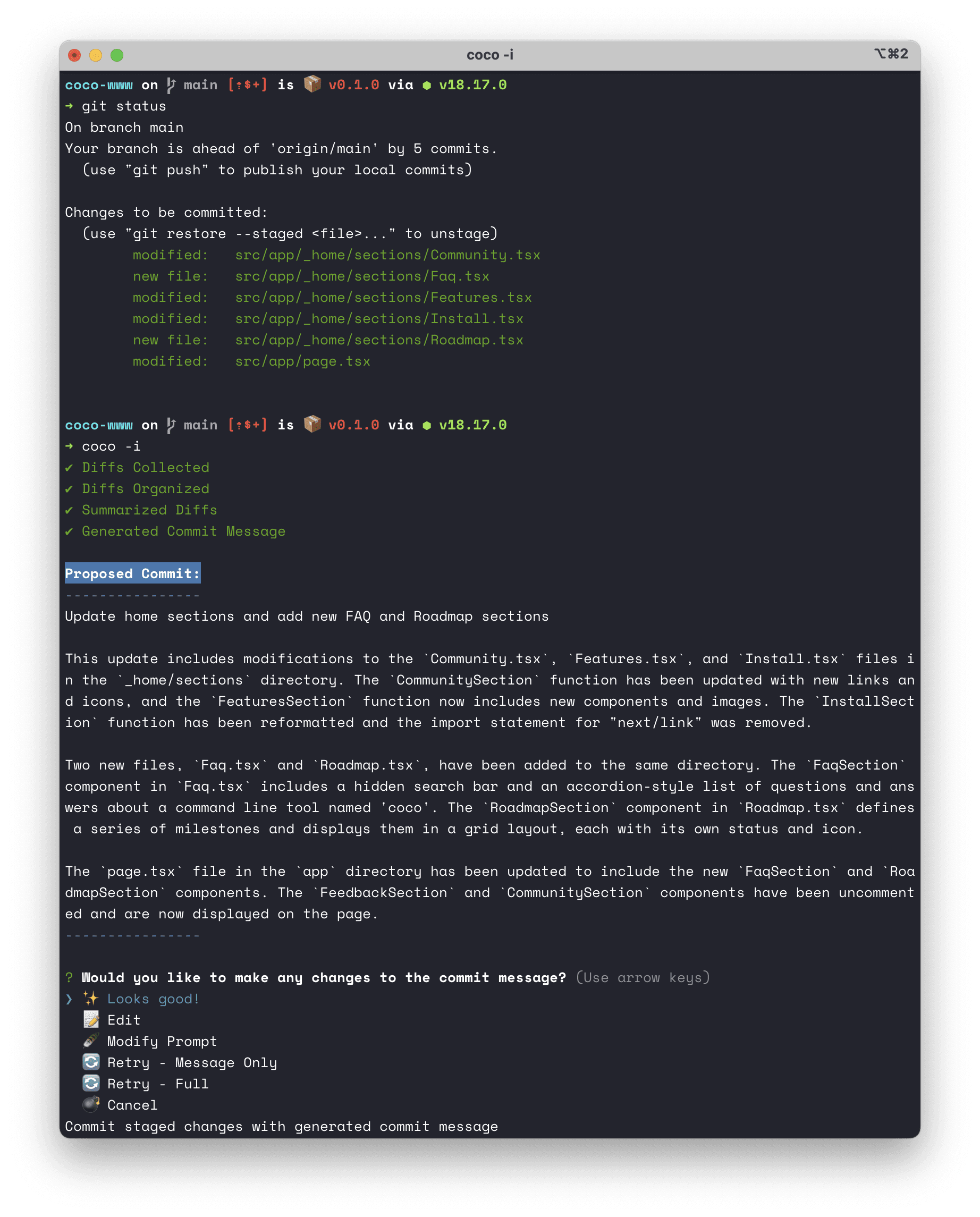
Generate intelligent commit messages with optional Conventional Commits support and automatic commitlint validation.
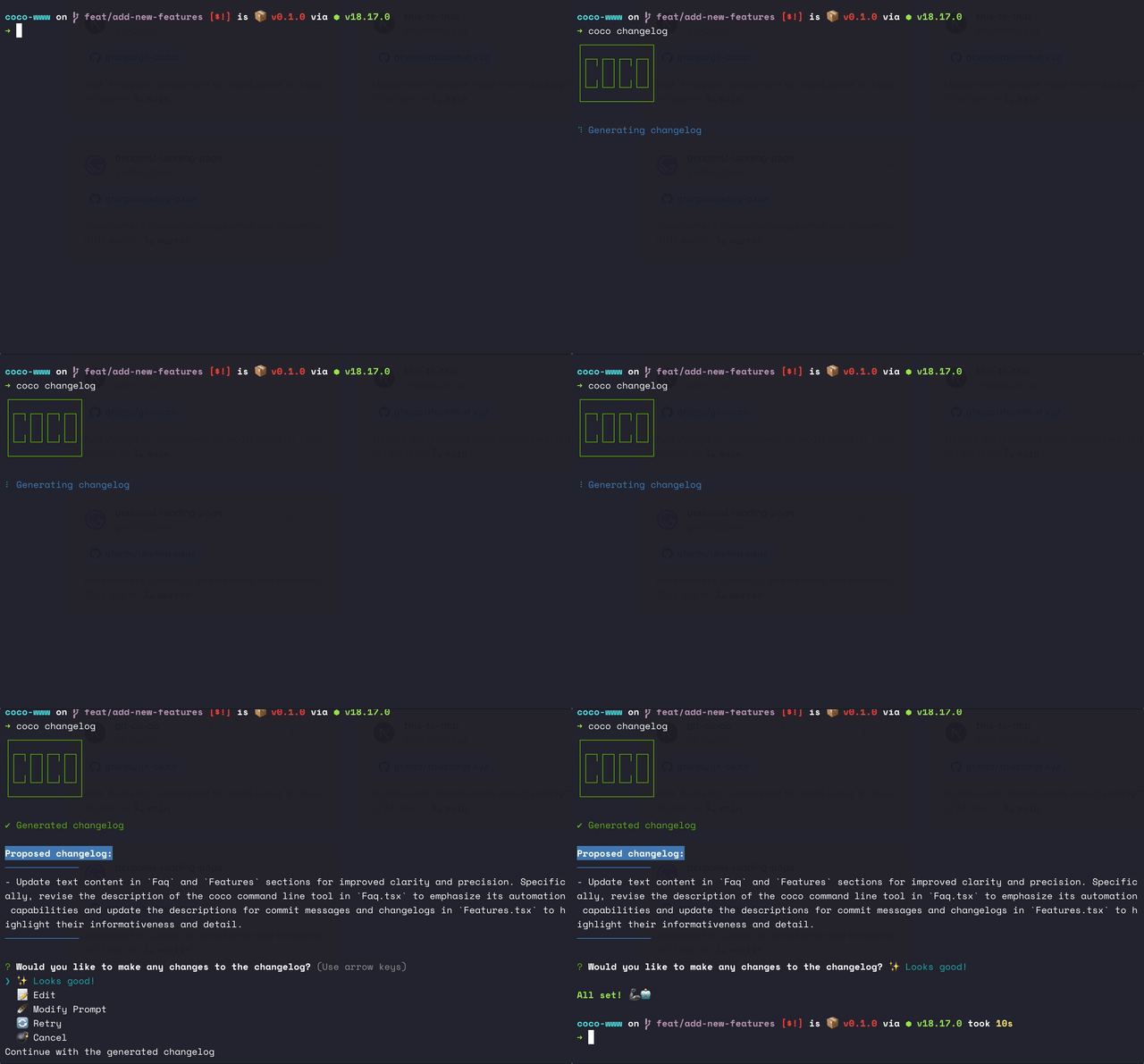
Automated Changelogs
Create detailed changelogs from any branch, commit range, or tag - perfect for release notes and documentation.
Code Recaps
Summarize your work from yesterday, last week, last month, or any time period for standups and status reports.
AI Code Review
Get intelligent feedback on your changes before committing. Catch issues and improve code quality.
install
Use the init command to both install and configure coco for your use case.
npx git-coco@latest initroadmap
commit staged work
generate commit message for staged files with a single command.
interactive v.s. stdout mode
interactively commit staged work or output commit to stdout.
commit all the files!
support any number of staged changes through recursive summarization.
langchain
better future interop with additional LLMs through langchain.
coco changelog
generate changelogs from current branch, or provided range of commits.
coco init
interactive setup for coco for a project or globally on a system.
ollama
use your own local LLM with Ollama! more faster, much private.
coco recap
summarize staged changes... yesterday's work... or any date range!
coco review
generate a step by step code review from work in progress or a target branch.
conventional commits
generate commit messages that follow the rules of conventional commits.
changelog 2.0
improved CLI flags, additional args, links to commits, authors and more!
commitlint & commitizen
lint generated content via pre-existing tools.
getting started video
learn how to use coco with a short video tutorial.
and much more!
we're always thinking of new ways coco can improve your git workflow.
feel free to suggest a roadmap item on github, we love feedback!
Frequently Asked Questionsfaq

command reference
Complete documentation for all coco commands and their options
coco commit
Generate intelligent commit messages from staged changes with optional Conventional Commits support and automatic commitlint validation.
Basic Options
-i, --interactiveOpen editor for review and editing
--verboseShow detailed processing information
-s, --stage-allStage all changes and commit in one step
Commit Enhancement Options
--append [text]Add content to end of commit message
coco --append "Resolves #128"-t, --append-ticketAuto-append Jira/Linear ticket from branch
-a, --additional [context]Add extra context to guide generation
Conventional Commits Options
-c, --conventionalForce conventional commits mode
--include-branch-nameInclude branch name in context (default)
--no-include-branch-nameExclude branch name from context
Processing Options
-p, --with-previous-commits [n]Include previous N commits for context
--no-diffUse basic git status (faster for large changes)
--open-in-editorOpen message in editor before committing
documentation & resources
Comprehensive guides and resources to help you get the most out of coco