The AI git toolbelt & terminal workstation.
Commits, changelogs, reviews, PRs, and a 16-view keyboard workstation — one binary. Seven AI providers including fully local Ollama. Works on every major platform.
npx git-coco@latest init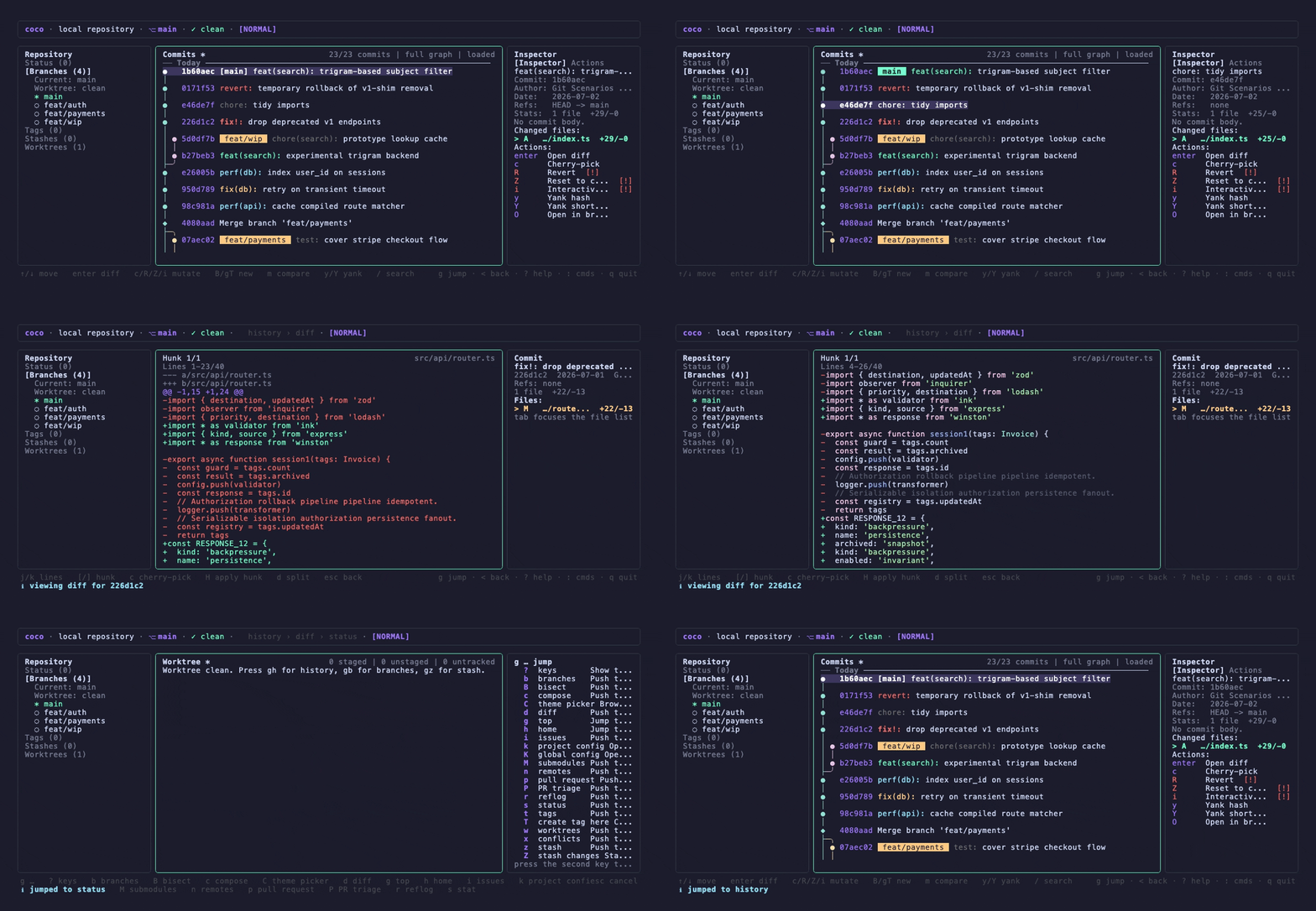
Key Features
Start with the map, then jump into the workflows that matter to you
AI-Powered Git Commands
Each command solves a specific problem: intelligent commits, automated changelogs, code recaps for standups, AI code reviews, and commit splitting for clean history.
Works with your AI assistant
Add coco to Kiro, Cursor, Claude Desktop, or VS Code and your assistant can draft commits, review changes, and write changelogs on its own. Read-only, bound to the repo you opened.
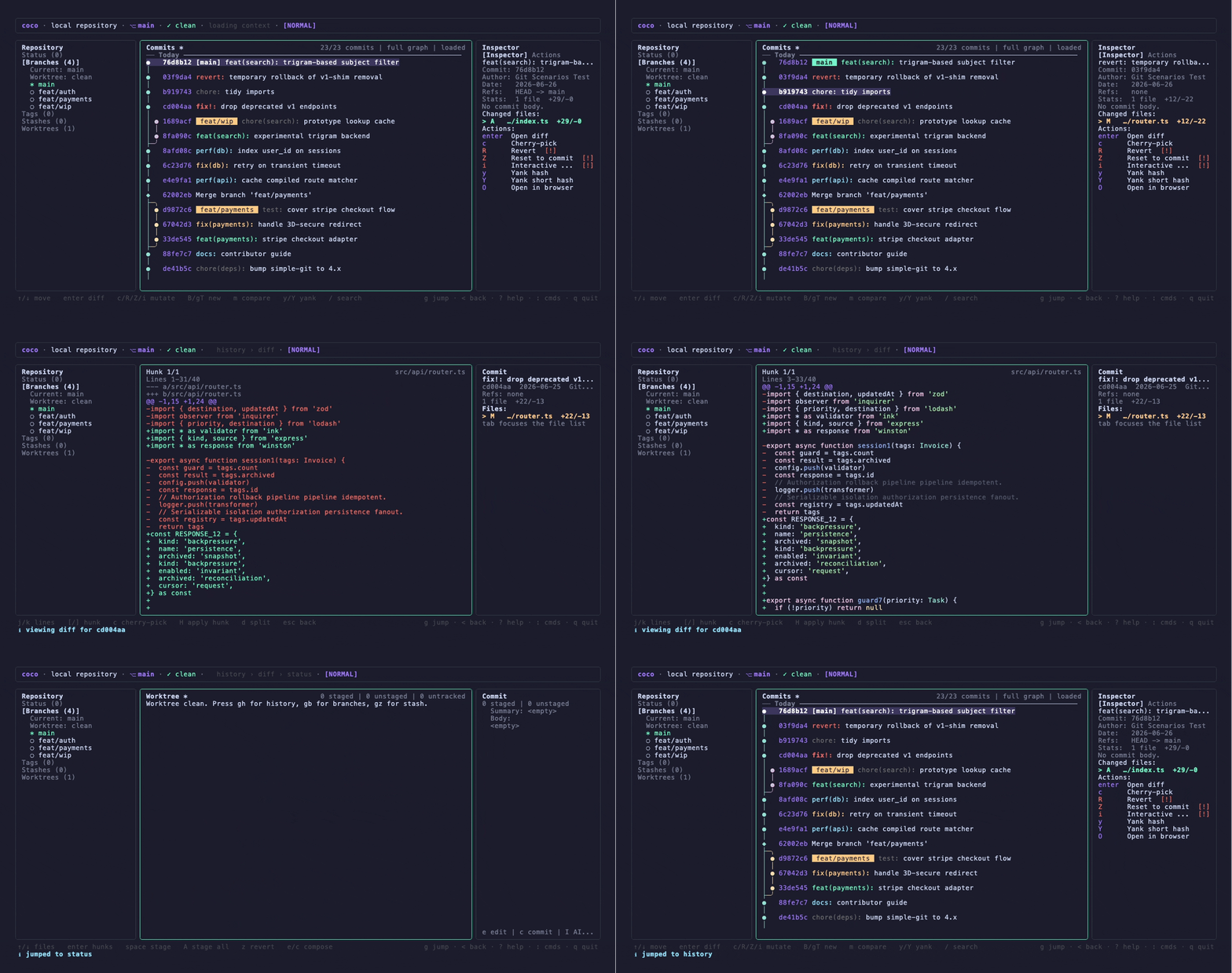
Terminal Workstation
A keyboard-driven Git workstation with 16 views — including a full stash workflow, tactile hunk staging, conflict resolution, reflog recovery, bisect, and recursive submodule drill-in — that works at any terminal width and brings every tool together in one surface.

Dynamic Model Routing
Task-aware model selection picks the right model for each job. Fast models for commits, thorough models for reviews.
Multi-Provider AI
Seven providers: OpenAI, Anthropic, Gemini, Mistral, Azure OpenAI, AWS Bedrock, and Ollama. Run fully local for complete privacy and zero API costs. coco itself collects no telemetry, and any usage stats it keeps stay local on your machine.
Multi-forge Git workflows
PRs, issues, and the triage workstation work across GitHub, GitHub Enterprise, GitLab, and Bitbucket Cloud. coco detects your forge and drives the matching CLI or API behind one consistent workflow.
Conventional Commits & Commitlint
First-class support for Conventional Commits with automatic commitlint validation and intelligent retry logic.
Instant Boot & Disk Cache
The workstation paints in under 100ms. A per-repo disk cache serves history from the first frame.
Every command, intentionally crafted
Each command solves a real problem on its own. Pick the one you need, or use them all.
commit
Write your commits with AI
Generate intelligent commit messages from staged changes with optional Conventional Commits support and automatic commitlint validation.
Key flags
-i, --interactiveOpen editor for review and editing-s, --stage-allStage all changes and commit in one step--conventionalForce conventional commits mode--append [text]Add content to end of commit message-t, --append-ticketAuto-append Jira/Linear ticket from branch--open-in-editorOpen message in editor before committing
Dynamic model routing
coco supports dynamic model routing which selects the best model per task — a fast model for commits, a thorough one for changelogs and reviews. Works across fifteen providers: OpenAI, Anthropic, Gemini, Mistral, Azure OpenAI, AWS Bedrock, Ollama for fully local operation, plus OpenAI-compatible presets (DeepSeek, Groq, xAI, Together, Fireworks, OpenRouter, LM Studio, vLLM).
Let your AI assistant use coco
Commit messages, code review, changelogs, and recaps, exposed as tools an agent can call. Two ways in: connect it to your editor over MCP, or pipe JSON to it from a script.
Pick the one that describes you
You code with an AI assistant
Kiro, Cursor, Claude Desktop, VS Code with Copilot, Windsurf. Add coco once and your assistant discovers five tools it can call on its own.
$ coco mcpadd to your editor's MCP config
You're writing a script or a CI job
Send a JSON request on stdin, read a JSON envelope on stdout. No editor, no MCP client, no interactive prompts to work around.
$ coco agent reviewreads stdin, writes one JSON envelope
Add it to your editor
One entry, no repository path. coco reads the workspace folder your editor is already reporting, so the same config works in every project you open.
→ coco MCP server started
Your assistant now calls these directly. Nothing else to wire up.
Then just ask
You talk to your assistant normally. It picks the tool and gets back structured data, not terminal output it has to guess at.
“Commit what I just staged.”
A title and body written from the real diff, already checked against your commitlint rules.
coco_commit_drafttitlebodyformattedvalidationErrors“Review this before I push it.”
Structured findings with a severity, a file, and a line, so your assistant can act on them instead of parsing prose.
coco_reviewfindings[]“What shipped since the last tag?”
Release notes grouped by theme, built from the commit range you name.
coco_changelogtitlecontent“Summarize what I worked on this week.”
A written summary of a time window or a working tree, for standups and status updates.
coco_recaptitlesummary“Condense this large diff so I can reason about it.”
A structurally condensed diff within a token budget. No LLM call, no API key needed in structural mode.
coco_condense_diffcondensedmetricsfilesIncludedfilesOmittedWhat it will not do
- It reads. It never writes.
- No commits, no file edits, no pushes, no comments on your PRs. Every tool is annotated read-only, so your client can show you that too.
- It stays inside the repo you opened.
- One server binds to one Git root, checked against the workspace folders your editor actually exposes. Requests for anything outside it fail.
- Every answer says where it came from.
- Results carry a SHA-256 digest of their input and a provenance marker, so you can tell a real diff from context an agent handed over.
Scripting it instead? Start with the schema.
coco agent schema --task review prints the exact request and response shape. The guide covers every parameter, error code, and safety boundary.
One workflow across every forge
coco detects your remote and dispatches through one forge adapter — gh for GitHub and GitHub Enterprise, glab for GitLab, and the REST API for Bitbucket Cloud, Bitbucket Server, Gitea, and Codeberg. Commands and workstation actions stay consistent across all seven.
Forge detection
No flags to set. coco reads your remote and selects the right CLI or API.
Works out of the box — nothing changes.
Same gh CLI, pointed at your instance.
Uses glab for merge requests and issues.
Uses the REST API — no extra CLI required.
Self-hosted (Data Center). Map via forgeHosts config.
Self-hosted instances auto-detected or mapped via forgeHosts.
Auto-detected from codeberg.org remotes. No config needed.
PRs & merge requests
coco prs lists and filters PRs/MRs with --json for pipelines. coco pr create opens a PR/MR with an AI-generated title and body.
Issues
coco issues lists, filters, and acts on issues across supported forges — same flags, same --json output.
Triage workstation
The full coco ui workstation — PR/issue triage, inspectors, and every per-row action — dispatches through the detected forge adapter.
AI descriptions
PR and MR titles and bodies are generated from your diff, so the same compose flow works wherever you push.
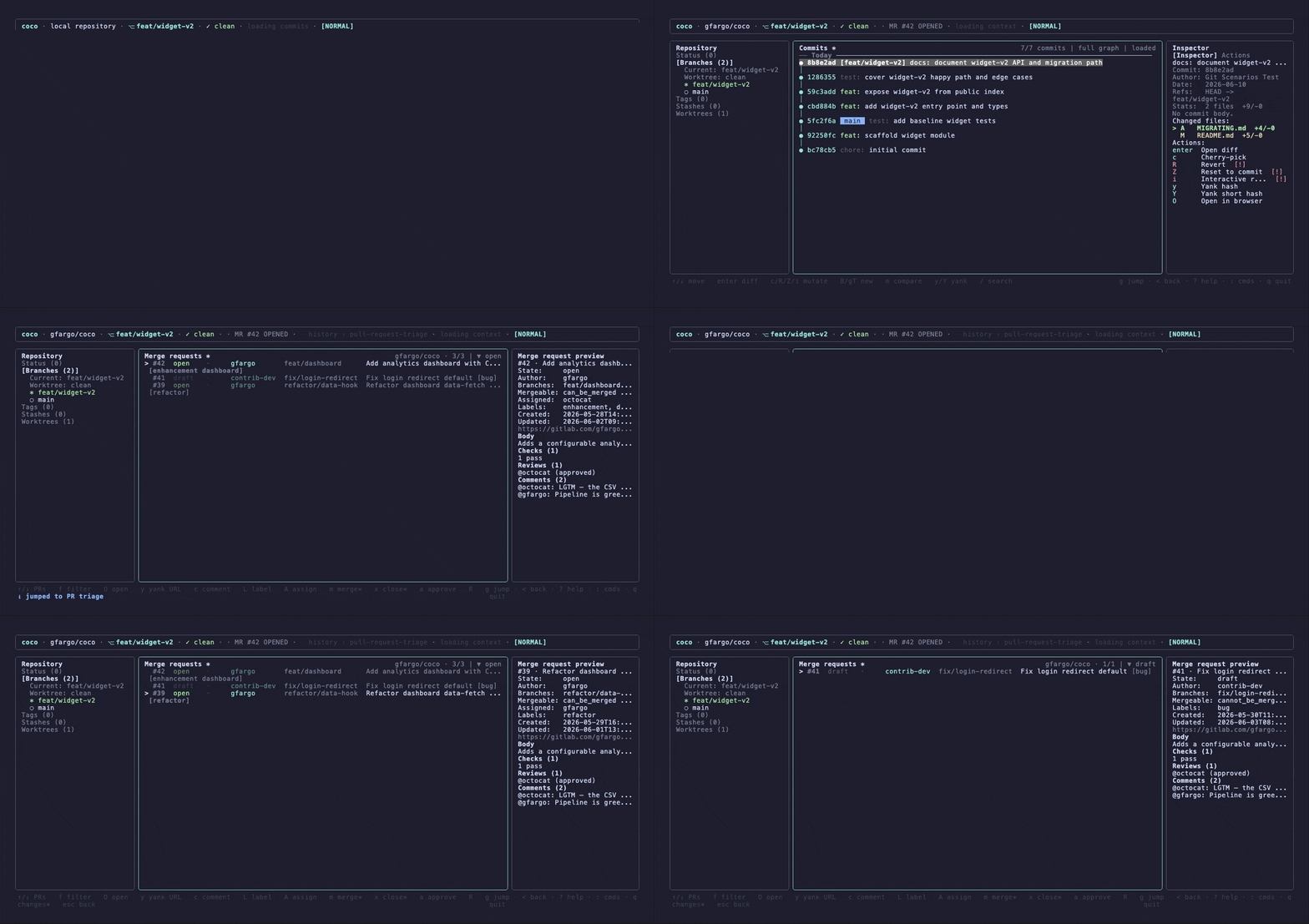
GitLab merge-request triage in coco ui — draft, pipeline, and approval state with a live inspector. The same workflow and keys carry across all supported forges.
Get started
Get up and running in seconds. One command installs and configures everything.
brew install gfargo/tap/cococurl -fsSL https://coco.griffen.codes/install.sh | shnpx git-coco@latest initThen run any of these
One smart entry point, plus a sharp tool for each job.
$cocoSmart entry — opens the workstation in a repo, the setup wizard on a fresh install$coco commitAI commit messages from your staged changes$coco changelogGenerate changelogs for any branch or range$coco reviewCatch issues before you push$coco uiThe full workstation — every tool, one screen$coco initSetup wizard — pick a provider, set preferences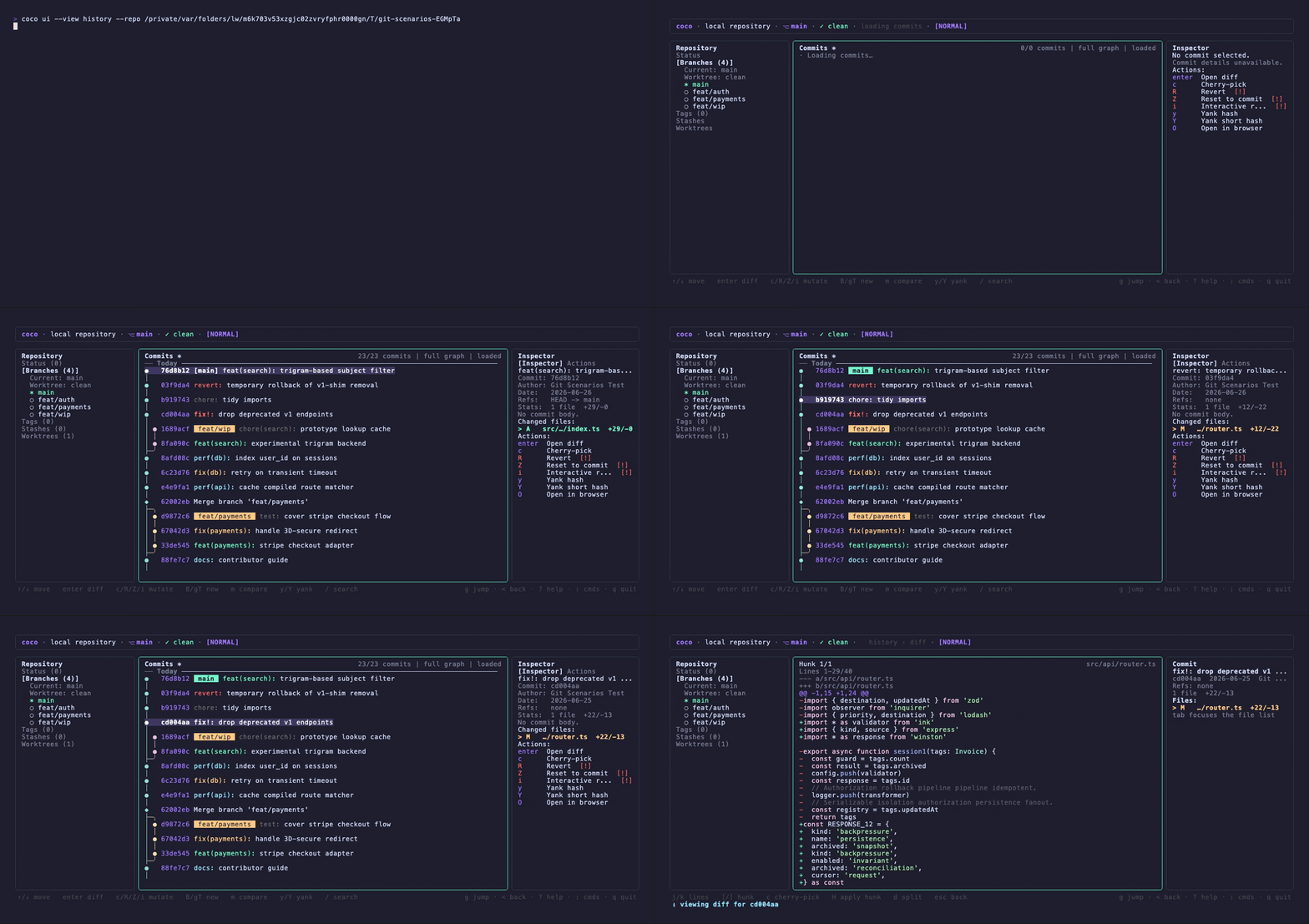
coco ui — your repo, the moment it boots
Documentation
Community
Drop us a line on Discord or open an issue on GitHub. We're always open to feedback and suggestions.