~/coco — coco ui
Merge requests, triaged in your terminal
Draft, pipeline, and approval state with a live inspector — the same view, the same keys you'd use on GitHub.
~/coco — coco ui (GitLab)
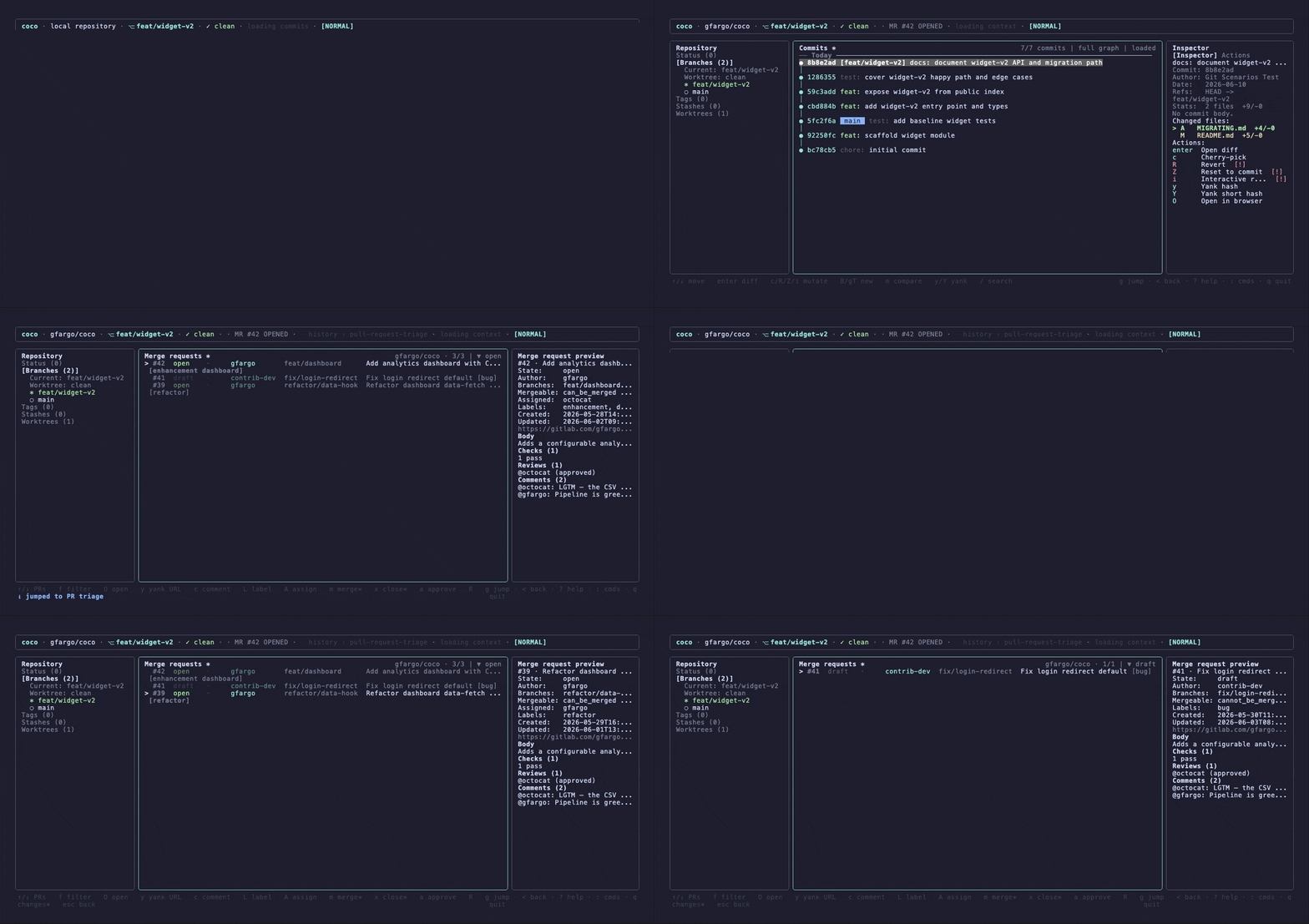
Most AI commit tools stop at GitHub. git-coco treats GitLab as a first-class forge — AI commits and merge-request descriptions, plus full MR and issue triage in a keyboard-driven terminal. It detects your remote and drives glab for you.
npx git-coco@latest initGitLab support needs glab installed and authenticated (glab auth login).
Draft, pipeline, and approval state with a live inspector — the same view, the same keys you'd use on GitHub.
One host-agnostic provider layer. git-coco maps GitLab's REST API to the same view models and routes every action through a provider-keyed forge adapter.
Browse, filter, and act on MRs without a browser tab. The inspector shows description, discussion, approvals, and pipeline status. Merge, approve, close, comment, label, and assign — every per-row action, on GitLab.
`coco pr create` generates an MR title and body from your branch diff and opens it with glab — the same compose flow you'd use on GitHub, pointed at GitLab.
`coco prs` and `coco issues` list GitLab MRs and issues with the same filters and `--json` as the GitHub path. git-coco detects the forge from your remote and routes to glab automatically.
GitLab self-managed works out of the box; the auth probe is scoped to your instance's host. Map a vanity hostname (git.acme.com) explicitly with the forgeHosts config.
git-coco detects the remote host instead of assuming github.com, so GitHub Enterprise remotes work with no configuration — the same workstation, the same actions.
Seven providers including fully local Ollama — no code leaves your machine, no API bill. Dynamic routing picks a fast model for commits and a thorough one for reviews.
Install, authenticate glab, and run coco inside any GitLab repo.
npx git-coco@latest init